


ls works fine but it's pretty basic. Here's what ls -la gives you:
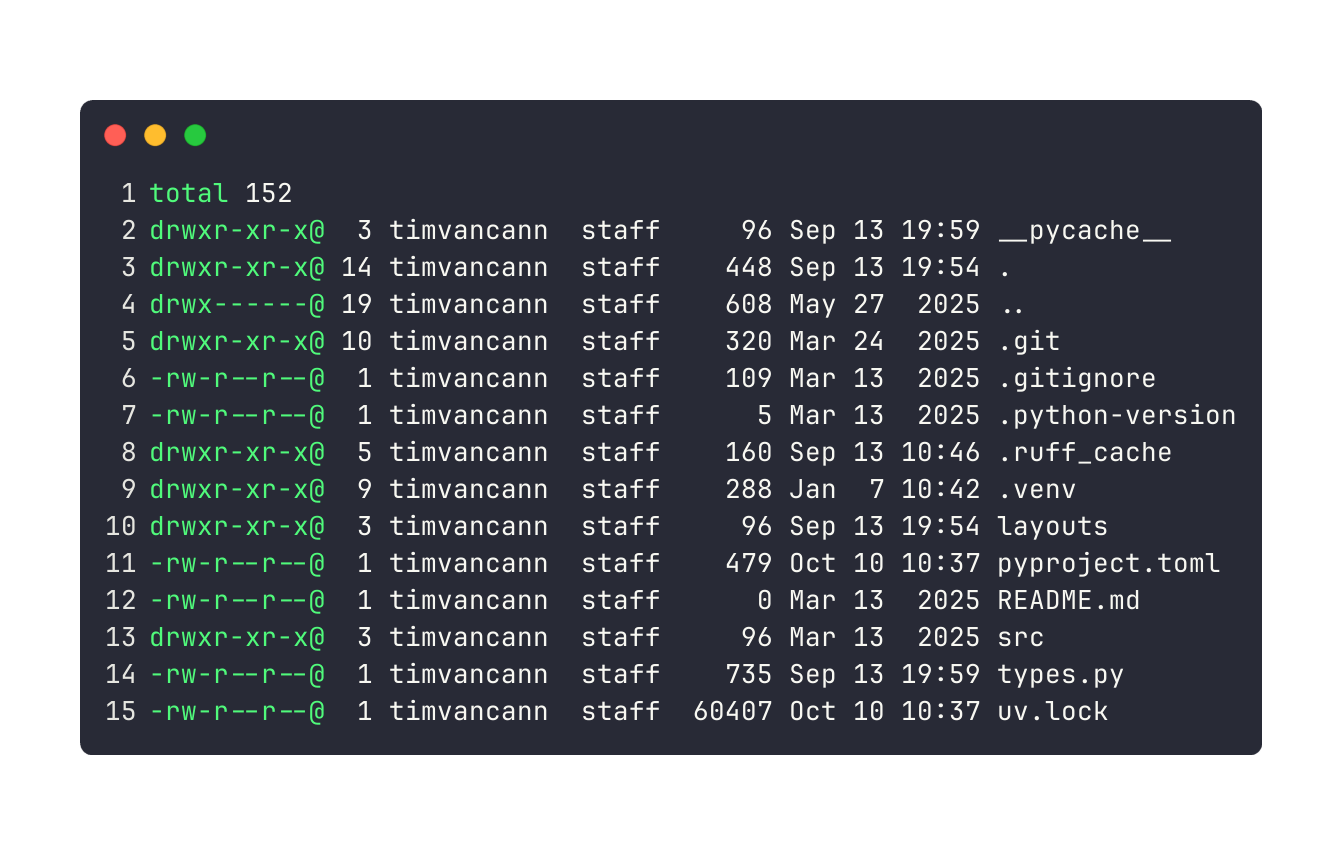
Now compare that to eza -la --icons=always:
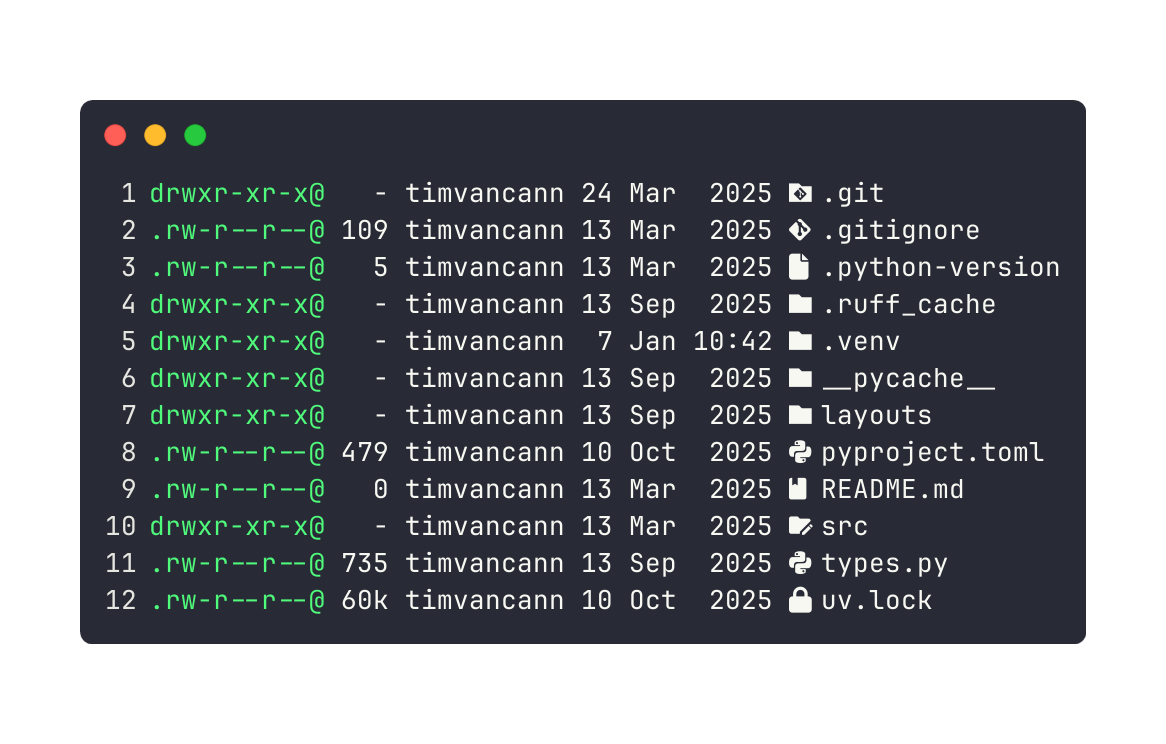
Same information - permissions, sizes, dates, filenames. But eza adds icons, human-readable sizes, and colors. Makes it way easier to scan.
What makes eza useful
Icons: Python files get 🐍, JavaScript gets 📜, directories get 📁. Faster to scan than reading extensions.
Git integration: See which files are modified, new, or unchanged right in the listing. No need to run git status separately.
Colors: Different file types get different colors. Executables, symlinks, configs - all visually distinct.
Tree views with .gitignore: Tree output automatically skips __pycache__, node_modules, and other ignored directories.
Git integration
Add --git to see file status in your listing:
eza -la --icons=always --git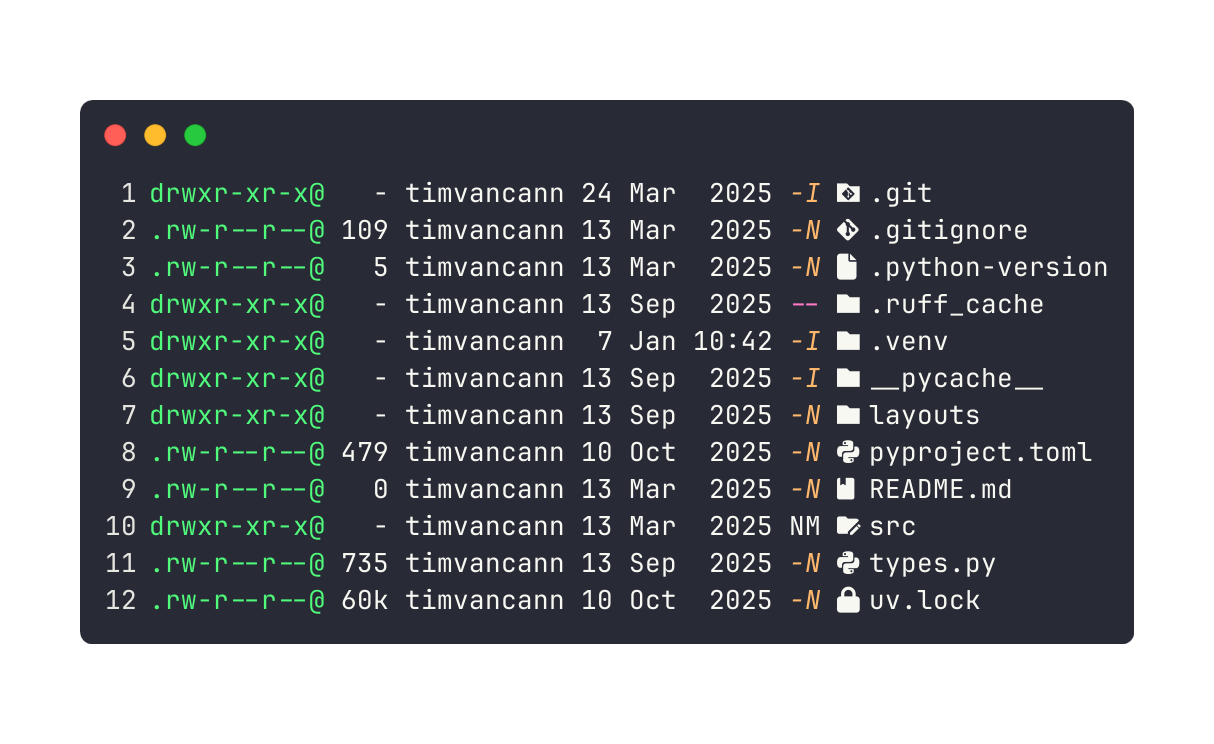
The git status column shows:
M- Modified (not staged)N- New (untracked)-- Unchanged
For tree views, use --git-ignore to skip all the noise:
eza -lA -T --git-ignoreShows your actual code structure without __pycache__, node_modules, or other build artifacts.