


Add --git to see file status in your listing.
Git Status
eza -la --icons=always --git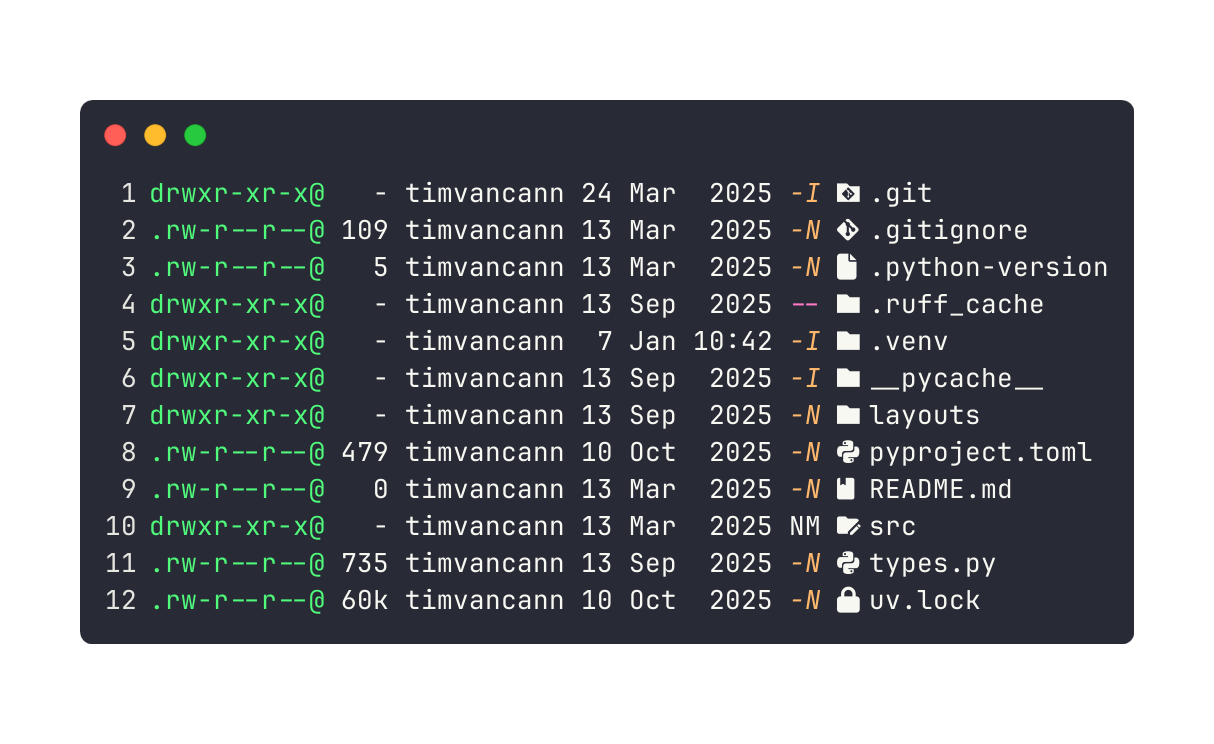
The git status column shows:
M- Modified (not staged)N- New (untracked)-- UnchangedMM- Modified in index and working tree--- Directory
Shows which files have changes without running git status.
All Status Codes
N  - New (untracked)
M  - Modified
D  - Deleted
R  - Renamed
T  - Type changed
I  - Ignored
U  - Unmerged
Combine with Sorting
eza -la --git --sort=modifiedSee which modified files you touched most recently.
Skip Ignored Files
eza -la --git-ignoreHides files in .gitignore like __pycache__/, venv/, node_modules/, or dist/.
Useful Alias
Combine it all:
alias ll='eza --icons=always -la --git'Now ll shows icons, permissions, git status, and human-readable sizes in one command.